 LuviDuo
Get the app
LuviDuo
Get the app
LuviDuo / Couple widgets
Couple widgets that keep you close, before you even unlock
Updated October 16, 2026
Short answer: if you want widgets made only for couples, LuviDuo is a free option for iPhone and Android. It has 18 widgets on iPhone, 5 of them for the lock screen: a countdown until you meet, time together, your partner's mood, your distance and your streak. Widgetable and Locket are good picks if you also want widgets with friends or a photo-only widget.
LuviDuo puts your relationship on your phone's screen: a countdown to the next time you see each other, how long you have been together, your partner's mood, and the little drawings and photos you send each other.
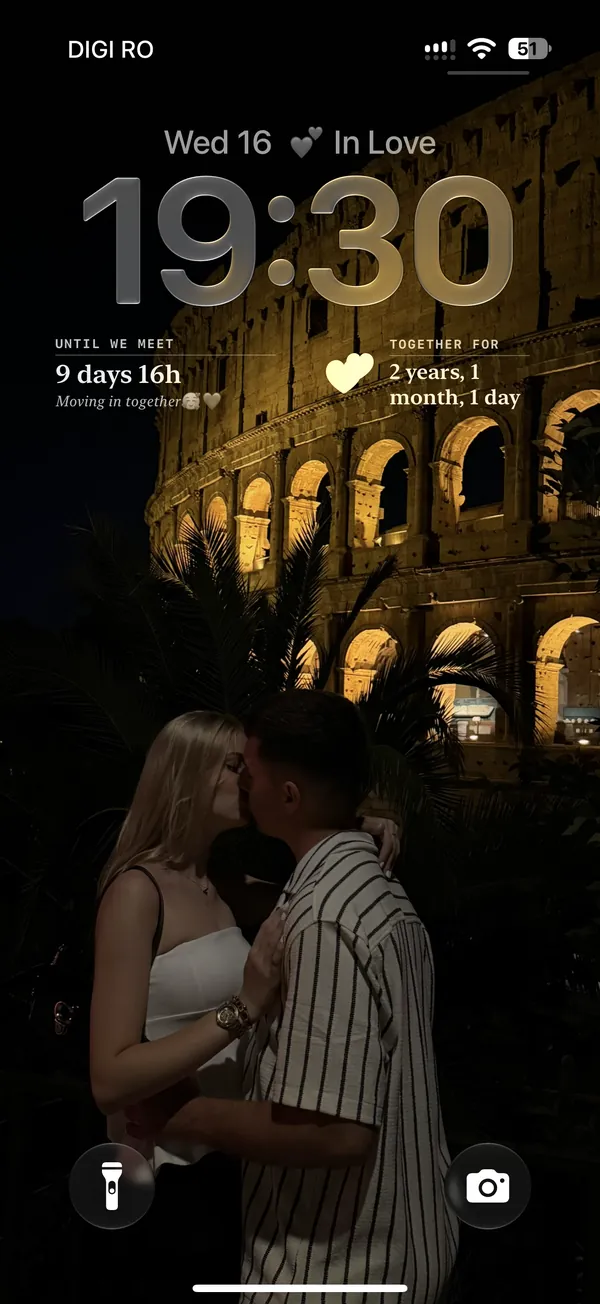
Lock screen widgets (iPhone)
On iPhone you can add these to your lock screen, so you see them every time you pick up your phone:
- Until we meet: a countdown to your next reunion, in days and hours.
- Together: how long you have been together, in days, months and years.
- Mood Sync: your partner's mood, updated live.
- Distance: how far apart you are right now, if you both choose to share it.
- Couple Streak: how many days in a row you have both shown up.
Home screen widgets (iPhone and Android)
- Handwritten Note: draw something in the app and it appears on your partner's home screen.
- Love Note: the latest message from your partner.
- Photo Moment: a photo taken right now that opens only when your partner sends one back.
- Your week: both of your plans for the next 7 days, in one calendar.
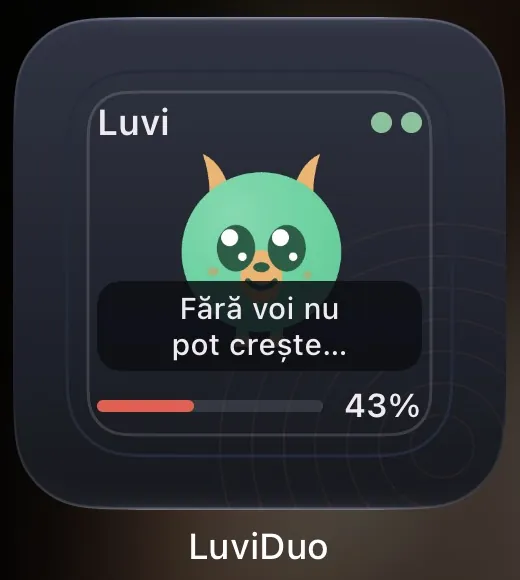
- Luvi: the little creature you raise together, with how it is feeling.
- Silly counters: Miss You and Love You taps, plus sleep, poop and fart counters, if that is your kind of humor.
- The Until we meet, Together, Mood, Distance and Streak widgets are on the home screen too.
How to set them up
- You both install LuviDuo and connect with your couple code.
- On iPhone, touch and hold the lock screen or home screen, tap Customize, and add a LuviDuo widget. On Android, touch and hold the home screen and choose Widgets.
- The widgets fill in on their own as you and your partner use the app.
What is free: LuviDuo is free to download and use, with ads. The widgets, the games and your pet are all in the free app. LuviDuo Premium is optional, covers both partners, removes the ads shown before sending moments and before games, keeps all your shared memories, and adds monthly Sparks and faster wheel energy. More in the FAQ.
Questions
- Does LuviDuo have lock screen widgets?
- Yes. On iPhone you can put Until we meet, Together, Mood Sync, Distance and Couple Streak on the lock screen. Android has the same information as home screen widgets.
- Are the LuviDuo widgets free?
- Yes. The widgets are part of the free app. Premium is optional and does not unlock widgets.
- Do both partners need the app for the widgets to work?
- Yes. The widgets show what your partner shares, so you both install LuviDuo and connect with a couple code. It works between iPhone and Android.
- Can my partner draw on my home screen?
- Yes. A drawing sent from the app appears on your Handwritten Note widget.
Try LuviDuo together
Free on iPhone and Android. Both of you install it, then connect with your couple code.