 LuviDuo
Get the app
LuviDuo / Matching widgets
Matching lock screen widgets for couples
Updated November 15, 2026
Short answer: for matching lock screen widgets, you both install LuviDuo, connect with your couple code, and add the same widgets in the same spots. Until we meet, Together and Couple Streak show the same number on both phones. Mood Sync mirrors: each of you sees the other's mood. Distance shows the same distance on both. Lock screen widgets are on iPhone; Android has the same widgets on the home screen. It is free.
Which widgets match, and how
| Widget | On your phone | On your partner's phone | Lock screen shapes |
|---|---|---|---|
| Until we meet | Days and hours until you meet | The same countdown | Line, circle, rectangle |
| Together | Days, months and years together | The same | Line, circle, rectangle |
| Couple Streak | Days in a row you both showed up | The same | Line, circle |
| Mood Sync | Your partner's mood | Your mood | Line, circle |
| Distance | How far apart you are | The same distance | Line, circle, rectangle |
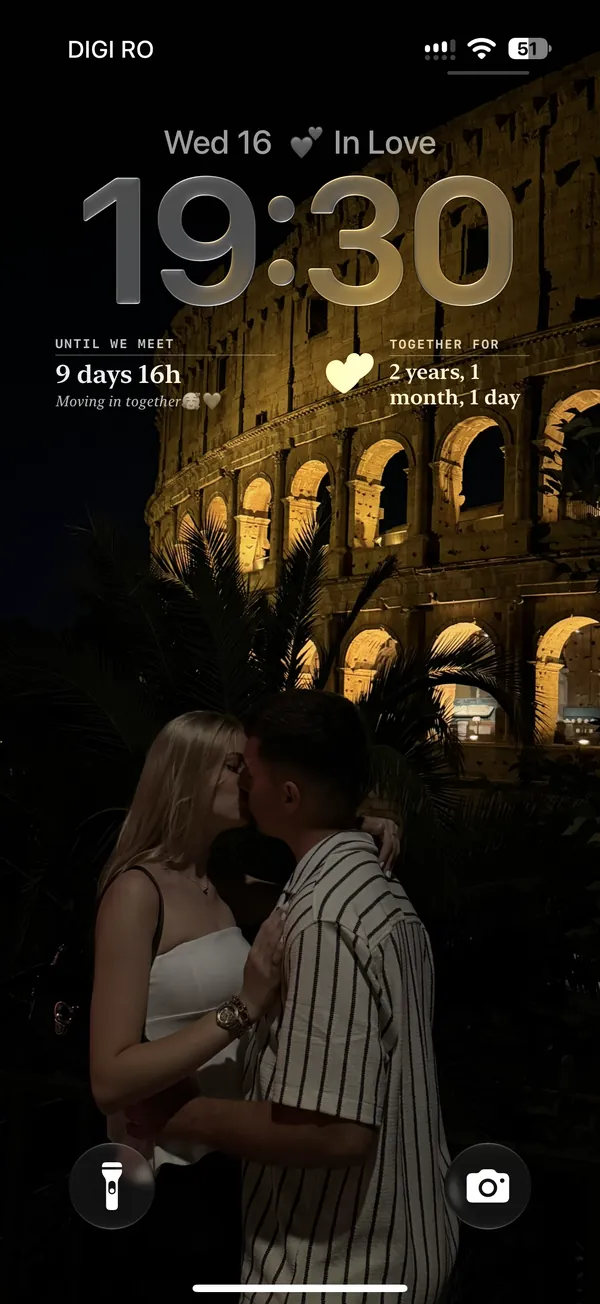
The iPhone lock screen has one line of text above the clock and a row under it that usually holds up to four circles, two rectangles, or one rectangle and two circles.
5 matching setups to copy
- Long distance: Mood Sync above the clock; Until we meet and Distance as two rectangles below. Distance needs you both to share your location (see the distance widget).
- The classic: Mood Sync above the clock; Until we meet and Together below. This is the screen in the photo.
- Anniversary mode: Together above the clock; Couple Streak and Mood Sync as two circles below.
- Four circles: Until we meet, Together, Couple Streak and Mood Sync, all round, all in one row.
- Barely there: only Mood Sync in the line above the clock. Nobody notices, except the two of you.
Make it really match
- Same order on both phones. Decide together which widget goes left and which goes right.
- Same wallpaper. Pick one photo of the two of you and both set it as the lock screen (an iPhone setting, not a LuviDuo one).
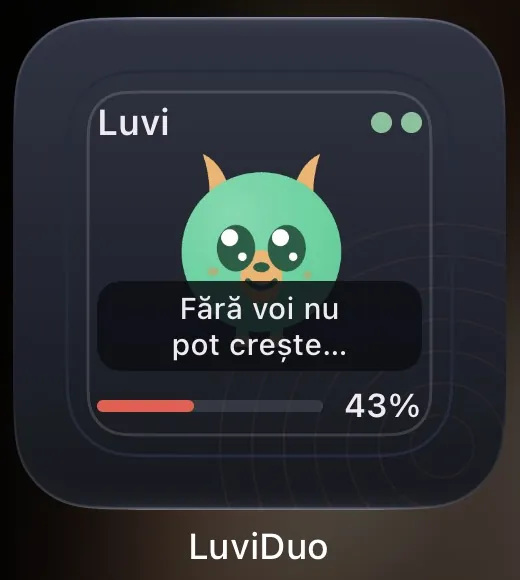
- Same home screen too. Add the Handwritten Note and Luvi widgets, so each of you sees the other's latest drawing and the pet you raise together. See the drawing widget.
How to set it up
First, both of you
- You both install LuviDuo (iPhone or Android, any mix).
- One of you shares the couple code and the other enters it. The widget stays empty until you are connected.
- Agree on a setup from the list above, then each of you adds the same widgets.
iPhone lock screen
- Touch and hold the lock screen, tap Customize, then choose Lock Screen.
- Tap the row of widgets under the clock (or the line above it) and pick LuviDuo.
- Choose Until we meet, then tap Done.
iPhone home screen
- Touch and hold an empty part of the home screen, tap Edit, then Add Widget.
- Search for LuviDuo and choose Until we meet.
- Pick a size and tap Add Widget.
Android home screen
- Touch and hold an empty part of the home screen and tap Widgets (the name changes a little between phones).
- Find LuviDuo and drag Until we meet onto your screen.
Repeat the lock screen steps for each widget in your setup. iPhone lock screen widgets need iOS 16 or later.
Other apps for matching widgets
We make LuviDuo, so we are not neutral. What we say about other apps comes from their US App Store listings, read on November 15, 2026. Check the listing before you choose.
- Widgetable (388,924 ratings, 4.9 stars): its listing mentions lock and home screen widgets and matching themes and wallpapers with your besties (App Store listing).
- Couple Joy (40,293 ratings, 4.9 stars): its listing describes couple widgets for mood, distance and time together (App Store listing).
- Pookie (1,414 ratings, 4.6 stars): its listing describes ten home screen widgets, including doodles, mood, days together and distance (App Store listing).
Keep reading
- All couple widgets compared
- How to add a couple widget, step by step
- Distance widget for couples
- Mood widget for couples
What is free: LuviDuo is free to download and use, with ads. The widgets, the games and your pet are all in the free app. LuviDuo Premium is optional, covers both partners, removes the ads shown before sending moments and before games, keeps all your shared memories, and adds monthly Sparks and faster wheel energy. More in the FAQ.
Questions
- How do couples get matching lock screen widgets?
- Both install LuviDuo, connect with a couple code, and add the same widgets in the same spots on the iPhone lock screen. Shared numbers like the countdown match exactly, and Mood Sync shows each of you the other's mood.
- Can an iPhone and an Android phone have matching widgets?
- Partly. Lock screen widgets are on iPhone. Android has the same widgets on the home screen, so you can match there.
- Which widgets show the same thing on both phones?
- Until we meet, Together, Couple Streak and Distance show the same on both phones. Mood Sync shows each of you the other's mood.
- Do matching widgets cost anything?
- No. All LuviDuo widgets are in the free app.
Try LuviDuo together
Free on iPhone and Android. Both of you install it, then connect with your couple code.